
PrintMyFonts herunterladen – Kostenlose Schriftvorschau, Druck & Export-Tool
Overview
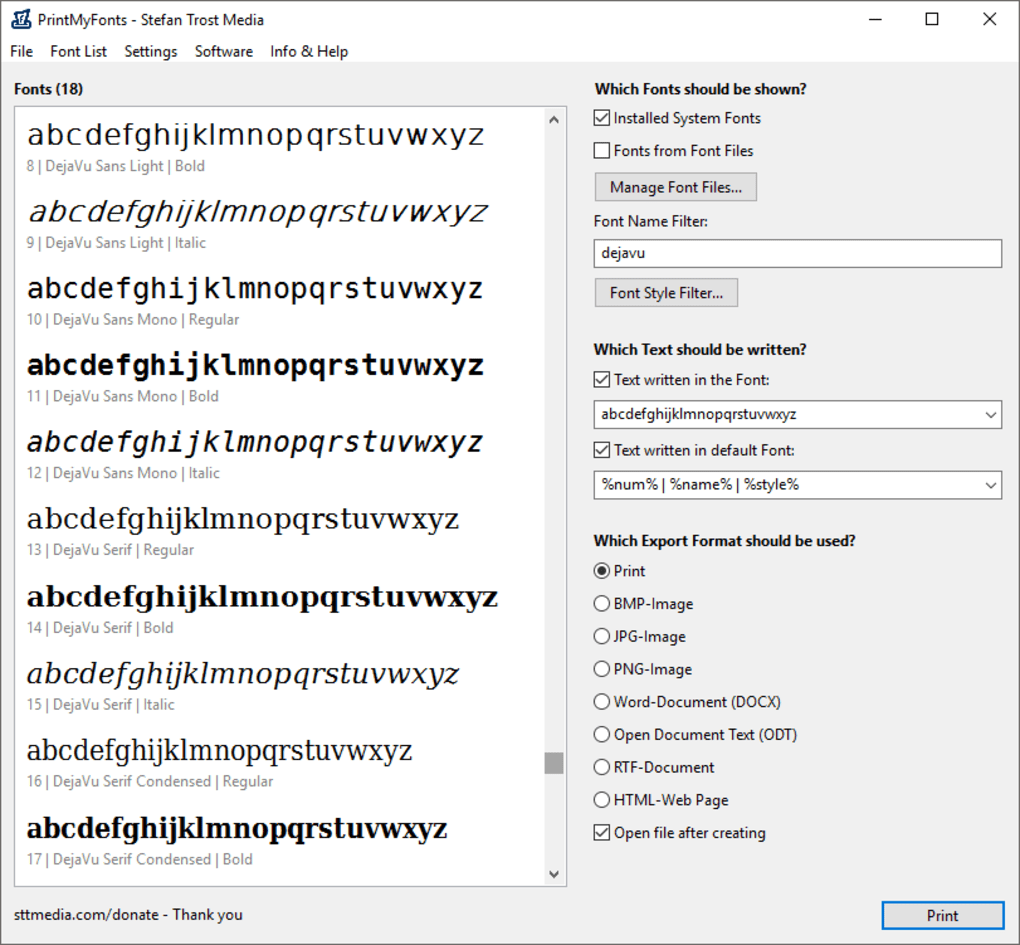
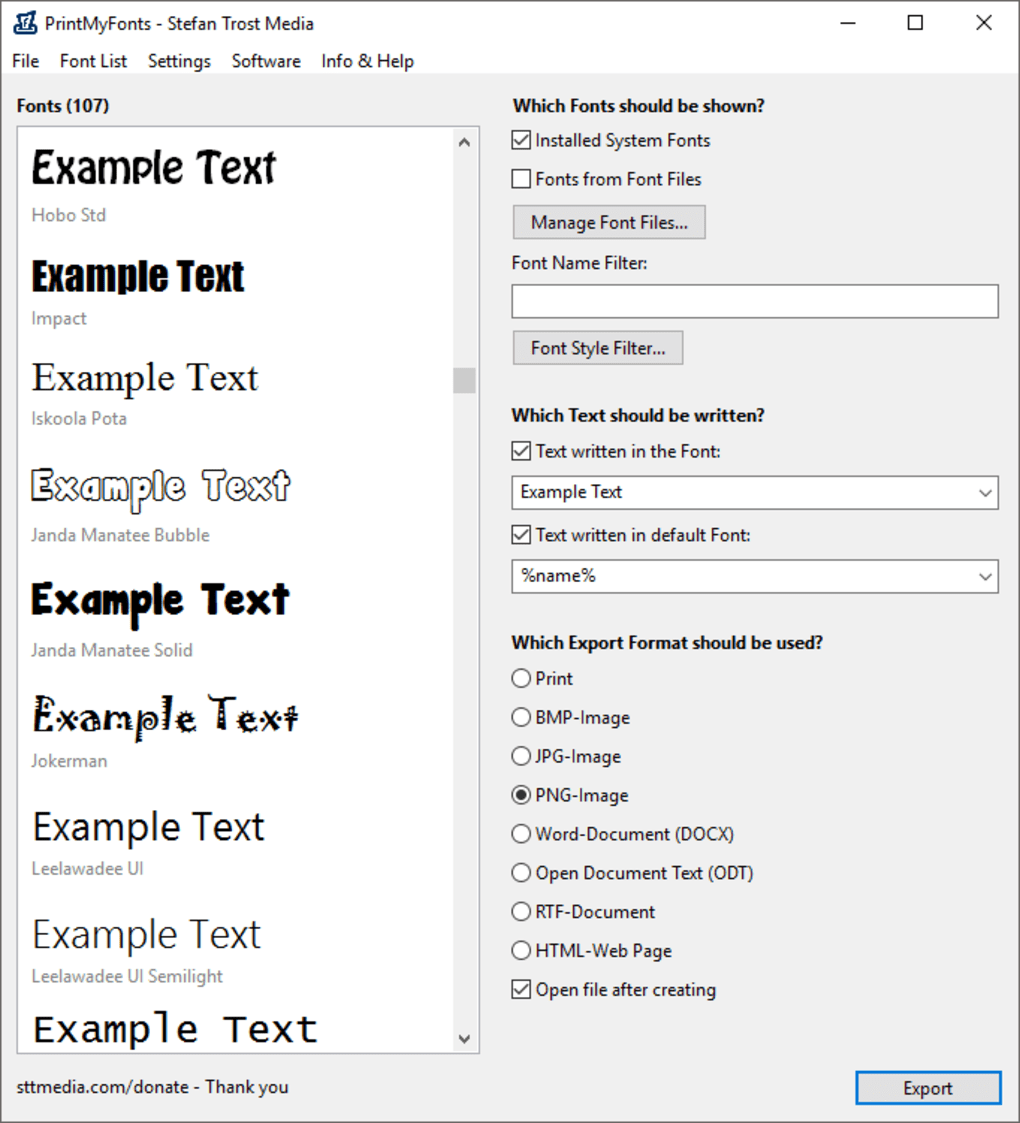
PrintMyFonts ist ein leichtgewichtiges, portables Schrift‑Vorschau‑Dienstprogramm, erstellt von Stefan Trost Media. Entwickelt für Windows‑Desktop‑Umgebungen, ermöglicht das Programm das Durchsuchen jeder auf Ihrem Computer installierten Schriftart – egal, ob es sich um eine Systemschrift handelt, die mit Windows geliefert wurde, oder um eine Drittanbieter‑Schrift, die Sie selbst hinzugefügt haben. Im Gegensatz zu vielen Schrift‑Managern, die eine steile Lernkurve erfordern, verwendet PrintMyFonts ein klares Dual‑Pane‑Layout: Das linke Feld listet alle verfügbaren Schriften auf, während das rechte Feld Filter, benutzerdefinierten Mustertext, Stil‑Umschalter und sofortige Druck‑ oder Export‑Optionen bietet.
Das Tool wird nicht mit eigenen Schriften geliefert; stattdessen fungiert es als „Fenster“ zu den bereits auf Ihrem Rechner vorhandenen Schriften, was es ideal für Designer, Typografen und alle macht, die vor der Verwendung einer Schriftart in einem Projekt schnell eine visuelle Referenz benötigen. PrintMyFonts ist komplett kostenlos, läuft ohne Installation und unterstützt den Export in gängige Bildformate, Rich‑Text‑Dokumente oder HTML‑Snippets, sodass die erstellte Vorschau in anderen Anwendungen wiederverwendet werden kann. Während das Programm die Mehrheit von TrueType‑ und OpenType‑Schriften einwandfrei verarbeitet, können stark stilisierte oder nicht‑standardisierte Schriften nicht perfekt dargestellt werden – eine Einschränkung, die bei den meisten leichten Vorschau‑Tools üblich ist.
Insgesamt bietet PrintMyFonts eine schnelle, sichere Möglichkeit, Schriftproben zu bewerten und zu drucken, ohne den Ballast voll ausgestatteter Schrift‑Manager.
Key Features & What Sets PrintMyFonts Apart
- Portables, null‑Installations‑Design – direkt von einem USB‑Stick ausführen.
- Dual‑Pane‑Oberfläche: linkes Feld für die Schriftliste, rechtes Feld für Vorschau‑Steuerungen.
- Dynamische Filterung – Systemschriften, benutzerinstallierte Schriften oder beides anzeigen.
- Benutzerdefinierte Mustertext‑Eingabe mit Unterstützung für Buchstaben, Zahlen und Symbole.
- Stil‑Modifikatoren: Fett, Kursiv, Unterstrichen und Groß‑/Kleinschreibung umschalten.
- Ein‑Klick‑Druck der ausgewählten Schriftproben an jeden angeschlossenen Drucker.
- Export‑Optionen umfassen PNG, JPEG, BMP, PDF, RTF und HTML.
- Suche‑während‑der‑Eingabe nach Schriftnamen für schnelle Navigation.
- Leichtgewichtiger Fußabdruck – weniger als 2 MB Download‑Größe.
- Kostenlos für private und kommerzielle Nutzung ohne versteckte Gebühren.
Pros
- Sofortiger, ohne Installation Zugriff auf alle lokalen Schriften.
- Intuitive Benutzeroberfläche, die praktisch keine Einarbeitung erfordert.
- Schneller Druck‑ und Export‑Workflow spart Zeit bei Design‑Freigaben.
- Funktioniert mit TrueType‑ und OpenType‑Formaten.
- Vollständig kostenlos und regelmäßig aktualisiert für Windows‑Kompatibilität.
Cons
- Auf Windows beschränkt; keine native macOS-, Android- oder iOS‑Version.
- Enthält keine integrierte Schriftbibliothek – nutzt lokal installierte Schriften.
- Stark dekorative oder variable Schriften werden möglicherweise nicht perfekt dargestellt.
- Keine erweiterten typografischen Funktionen wie Kerning‑Vorschau.
PrintMyFonts liefert genau das, was sein Name verspricht: eine schnelle, zuverlässige Möglichkeit, Schriftproben vorzuschauen, zu drucken und zu exportieren, ohne den Overhead eines vollwertigen Schrift‑Managers. Die portable Natur macht es perfekt für Designer, die auf mehreren Rechnern arbeiten oder ein leichtes Toolkit auf einem USB‑Laufwerk mitführen müssen. Zwar fehlen die tiefgehenden typografischen Kontrollen von Premium‑Tools, doch die Einfachheit und Geschwindigkeit gleichen die fehlenden Funktionen mehr als aus, besonders für alltägliche Design‑Aufgaben.
Installation, Usage & Compatibility
Getting started with PrintMyFonts is intentionally straightforward. Because the program is portable, there is no traditional installer. Follow these steps to download and run the utility:
- Download the ZIP package from the official Stefan Trost Media site or a reputable software repository.
- Extract the contents to a folder of your choice—your desktop, a project directory, or a USB flash drive.
- Launch
PrintMyFonts.exe. The application will open instantly, displaying the left‑hand font list.
Once the program is open, the workflow is designed to be as frictionless as possible:
- Filter fonts using the dropdown at the top of the right pane. Choose “System Fonts,” “Installed Fonts,” or “All Fonts” to narrow the view.
- Search for a specific typeface by typing its name into the search box—results appear in real time.
- Enter custom sample text in the large text field. You can toggle the “Numbers Only” option if you only need numeric glyphs.
- Apply styles such as bold or italic using the checkboxes beneath the sample text box. The preview updates instantly.
- Print by clicking the printer icon; select your desired printer and paper settings, then hit “Print.”
- Export by clicking the floppy‑disk icon. Choose from PNG, JPEG, BMP, PDF, RTF, or HTML. The exported file contains the exact visual representation you saw in the preview pane.
The tool is built for Windows 7, 8, 10, and 11 (both 32‑bit and 64‑bit). Because it is a portable .exe, it runs without admin rights, making it suitable for corporate environments with strict software policies. While there is no native macOS, Linux, Android, or iOS version, Windows users can run the program under compatibility layers such as Wine if needed. Updates are released periodically; the download page includes a changelog that lists bug fixes and compatibility tweaks for newer Windows releases.
Frequently Asked Questions (FAQ)
Is PrintMyFonts really free?
Yes, PrintMyFonts is completely free for both personal and commercial use. There are no hidden fees, trial periods, or paid upgrades.
Can I preview fonts that are not installed on my PC?
PrintMyFonts only works with fonts that are already installed on your system. It does not load external font files directly, but you can install a font temporarily (right‑click → Install) and then view it in the program.
What file formats can I export to?
Export options include PNG, JPEG, BMP, PDF, RTF, and HTML. Choose the format that best fits your downstream workflow, whether it’s a web mock‑up or a printable PDF.
Does PrintMyFonts support variable fonts?
Variable fonts are displayed, but the program does not expose the full range of axis controls (weight, width, etc.). You’ll see a static instance of the variable font.
Is there a way to batch‑print multiple font samples?
PrintMyFonts prints only the currently selected preview. For batch printing, you would need to generate individual samples and print them sequentially, or use a dedicated batch‑printing script.
Conclusion & Call to Action
PrintMyFonts fills a niche that many designers overlook: a quick, portable, and free method to preview, print, and export the exact look of any font installed on a Windows machine. Its minimalist design eliminates distractions, allowing you to focus on the type itself. While it lacks advanced typographic features and cross‑platform support, the core functionality is solid, reliable, and perfectly suited for everyday design tasks, client approvals, or educational settings. If you need a hassle‑free way to showcase fonts without committing to a heavyweight font manager, download PrintMyFonts today and streamline your typography workflow.
Hier klicken, um PrintMyFonts herunterzuladen – kostenlos, sicher und einsatzbereit!







